
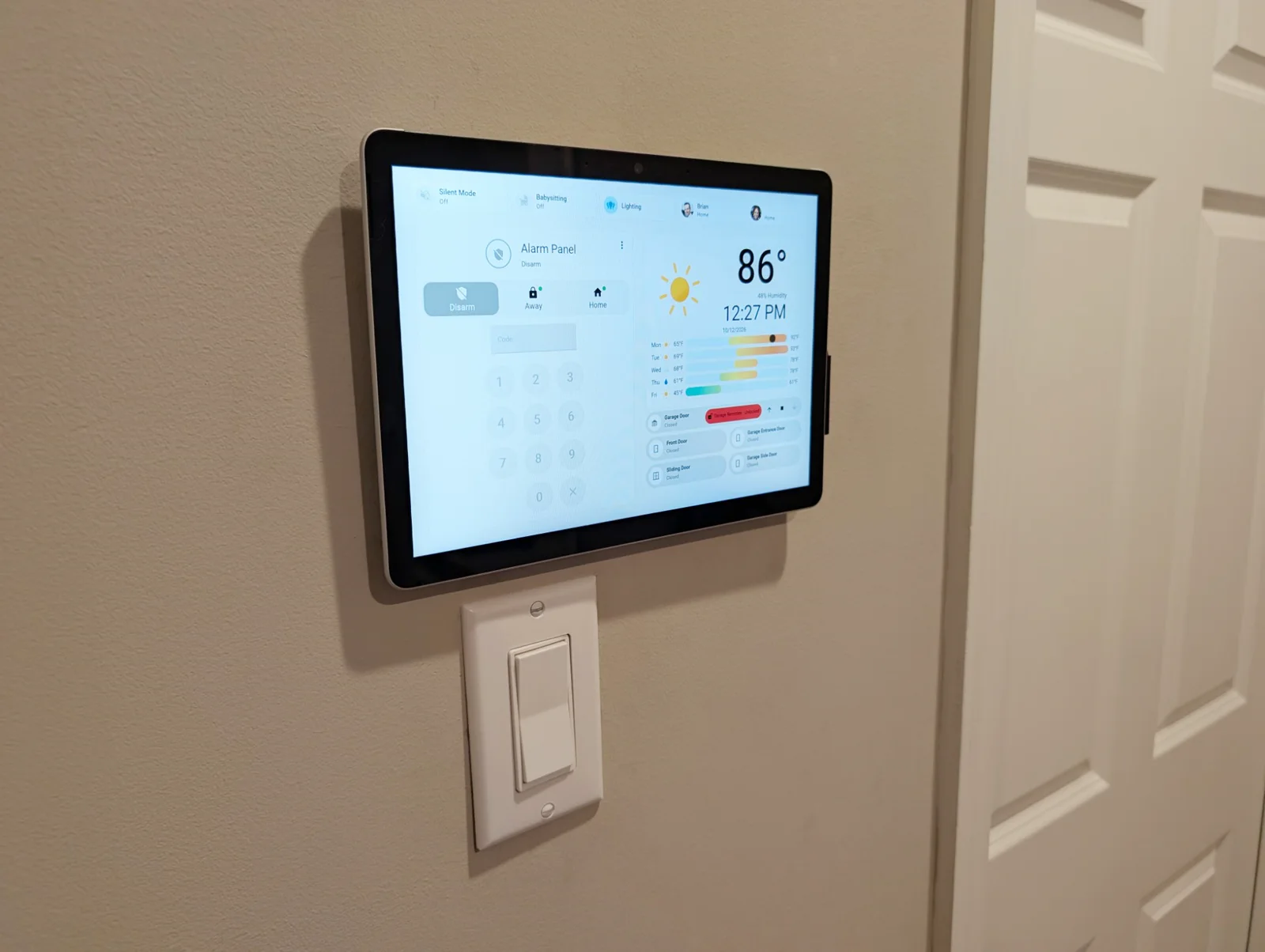
A home security system I designed and built, with no subscription
- What
- A whole-home alarm system, designed and built on Home Assistant
- Status
- In daily use
Our home alarm used to come from a subscription service. The monthly rate kept climbing, the system did not connect well with the rest of our smart home, and dropping paid monitoring would have meant losing its best features, the mobile app and notifications among them.
We wanted an alarm that was fully part of our home automation, cost very little to run, and still gave us a rich app and notifications. So I built our own on Home Assistant, the open-source smart home platform. I designed the dashboard, the automations behind it, and the keypad on the wall, and I developed the software that runs that keypad. We have not looked back.
What I designed and built
- A keypad on the wallI designed a touchscreen dashboard for a tablet mounted by the door we use most. A countdown with warning chirps gives us time to enter the code, and the code disarms the system.
- Custom kiosk softwareI developed the software that drives the tablet. It runs the dashboard full screen, brings it up when it detects motion or when the door opens, and reports its own status back to the system.
- It arms itselfAn automation watches for my wife and me to both leave the house, then arms the system in away mode on its own. Nobody has to remember.
- Babysitting modeA mode I added for the nights someone else is home: one switch stops the system from arming itself after we leave.
- Control from anywhereWe can arm, disarm, and check the system from our phones or by voice, and notifications reach us wherever we are.
- Every door at a glanceThe dashboard shows the status of every entry door and carries the controls for the garage door, all on the one screen.
Inside the kiosk software
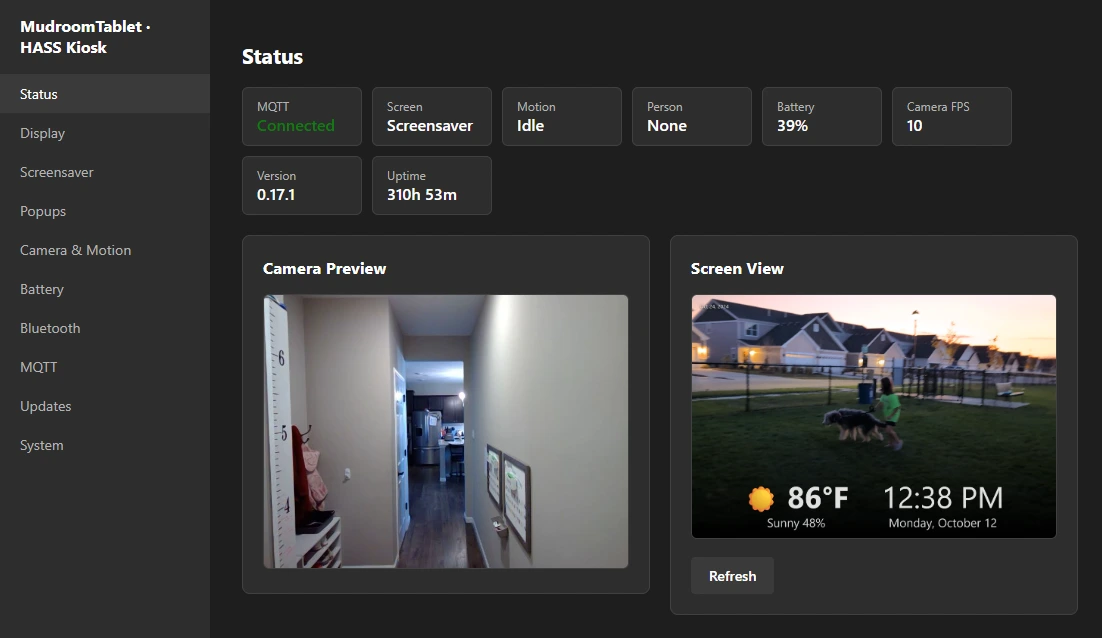
The software I developed for the tablet does far more than show a dashboard. Its main job is to know when someone is there. While the room is empty, the screen shows a screensaver of photos and videos we select. By the time a hand reaches it, the dashboard is up, with no button to press and no tap needed.
It does that with the tablet’s own camera, and all of the detection runs on the tablet itself. No video goes to a cloud service, and it keeps working with no internet connection.
How it knows someone is there
- Watch cheaplyThe software compares each camera frame with the one before it and counts what changed. That takes almost no power, so it runs all day.
- Ignore the noiseOnly movement in the zones I draw counts, and it has to last more than a moment. Shadows and flickers trigger nothing.
- Look for a personWhen something really is moving, a neural network checks whether it is a person. It runs only then, which spares the battery.
- Show the dashboardThe dashboard comes up on the screen, and the rest of the house is told that someone is there.
The simple check decides when the smart one runs. That gives the tablet a neural network’s accuracy without the cost of running one all day.
For the technically minded: the app is built on Electron, the person detector is a TensorFlow.js model bundled with the app, and everything it senses is published to Home Assistant over MQTT.
The same software runs that screensaver, with a clock and the weather over our photos and videos, and reports the tablet’s battery so its charging can be automated. I tune all of it from an admin page on our home network, with a live motion meter and an editor for drawing the detection zones.
The installation
I wanted the keypad to look built in. The tablet mounts over a recessed box in the wall, and a smart outlet with a USB port powers it from inside, so no cables show.
The result is an alarm that is one more part of the home’s automation, with no separate service to pay for.